Comparison review
FreshBooks vs QuickBooks Online for Canadian freelancers
FreshBooks is the cleaner first stop for client-service freelancers who mostly need invoices, time tracking, estimates, and simple expense records. QuickBooks Online is the stronger choice when you want deeper bookkeeping, stronger accountant collaboration, and more room to grow.
By Aditya Jain. Last reviewed May 10, 2026. Pricing verified May 10, 2026. Pricing and feature details should be verified on the vendor websites before buying. See the reviews hub for the full accounting software cluster.
What we checked: FreshBooks and QuickBooks Canada pricing, plan limits, invoicing workflow, receipt support, sales tax support, accountant access, public documentation, and dated screenshots.
Quick Verdict
| Choose | If this sounds like you | Why |
|---|---|---|
| FreshBooks | You are a freelancer, consultant, creative, or service provider who wants invoicing to feel easy. | FreshBooks is built around client work: invoices, estimates, time tracking, payments, proposals, retainers, and receipt capture. |
| QuickBooks Online | You care more about bookkeeping depth, accountant handoff, sales-tax workflow, and growth than the simplest invoice screen. | QuickBooks has stronger accounting infrastructure, accountant access, bank feeds, GST/HST tracking, and more scalable plan tiers. |
| Neither yet | You invoice one or two clients a month and do not need accountant collaboration. | A spreadsheet or a free/low-cost invoicing tool may be enough until the admin pain becomes real. |
Pricing Snapshot
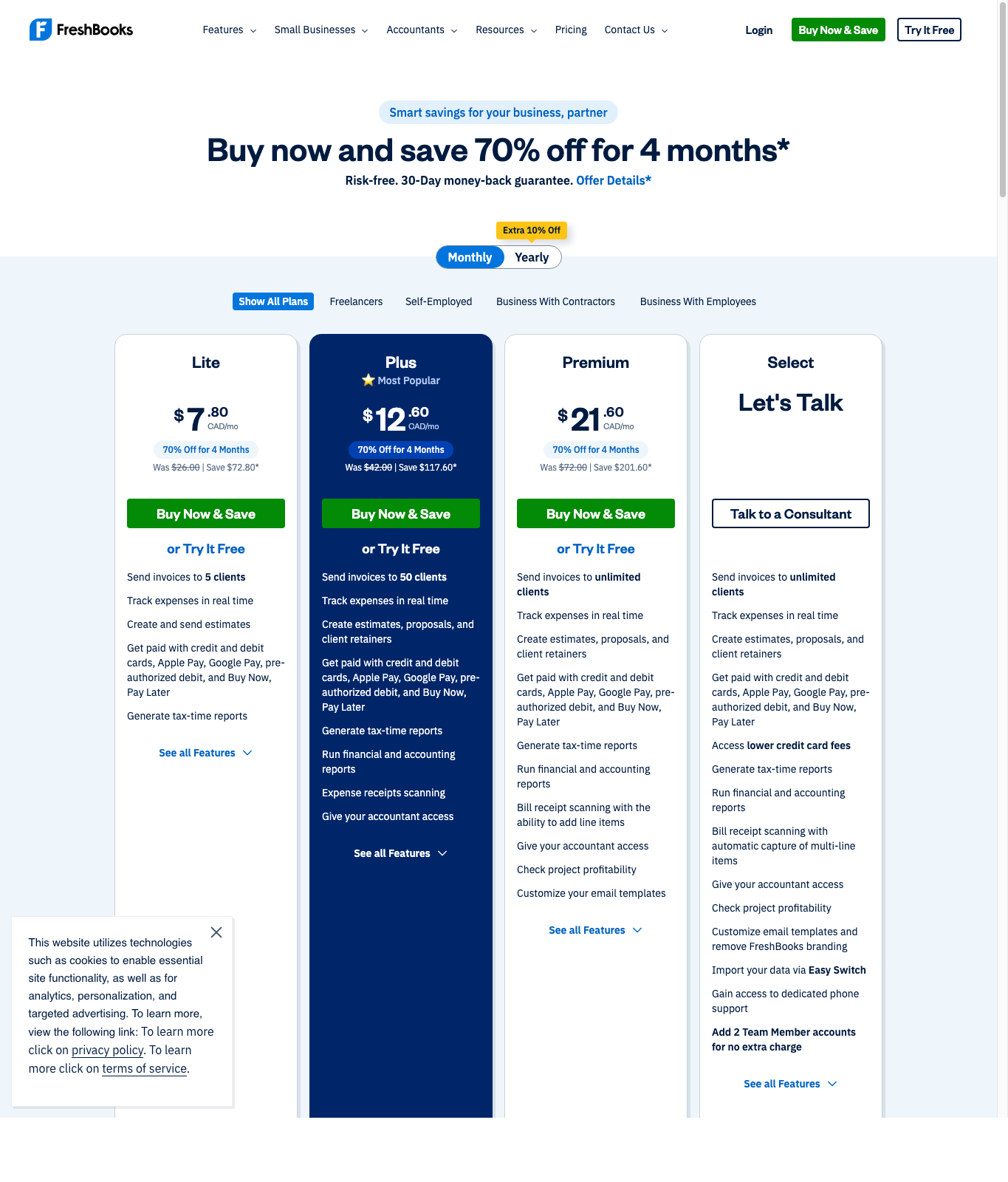
Prices captured May 10, 2026. FreshBooks publishes CAD prices directly on its Canadian pricing page. The visible monthly promotion showed Lite at $7.80 CAD/mo for 4 months, normally $26.00 CAD/mo; Plus at $12.60 CAD/mo for 4 months, normally $42.00 CAD/mo; and Premium at $21.60 CAD/mo for 4 months, normally $72.00 CAD/mo. FreshBooks also lists add-ons such as team members at $13 CAD/mo per user and Advanced Payments at $25 CAD/mo.
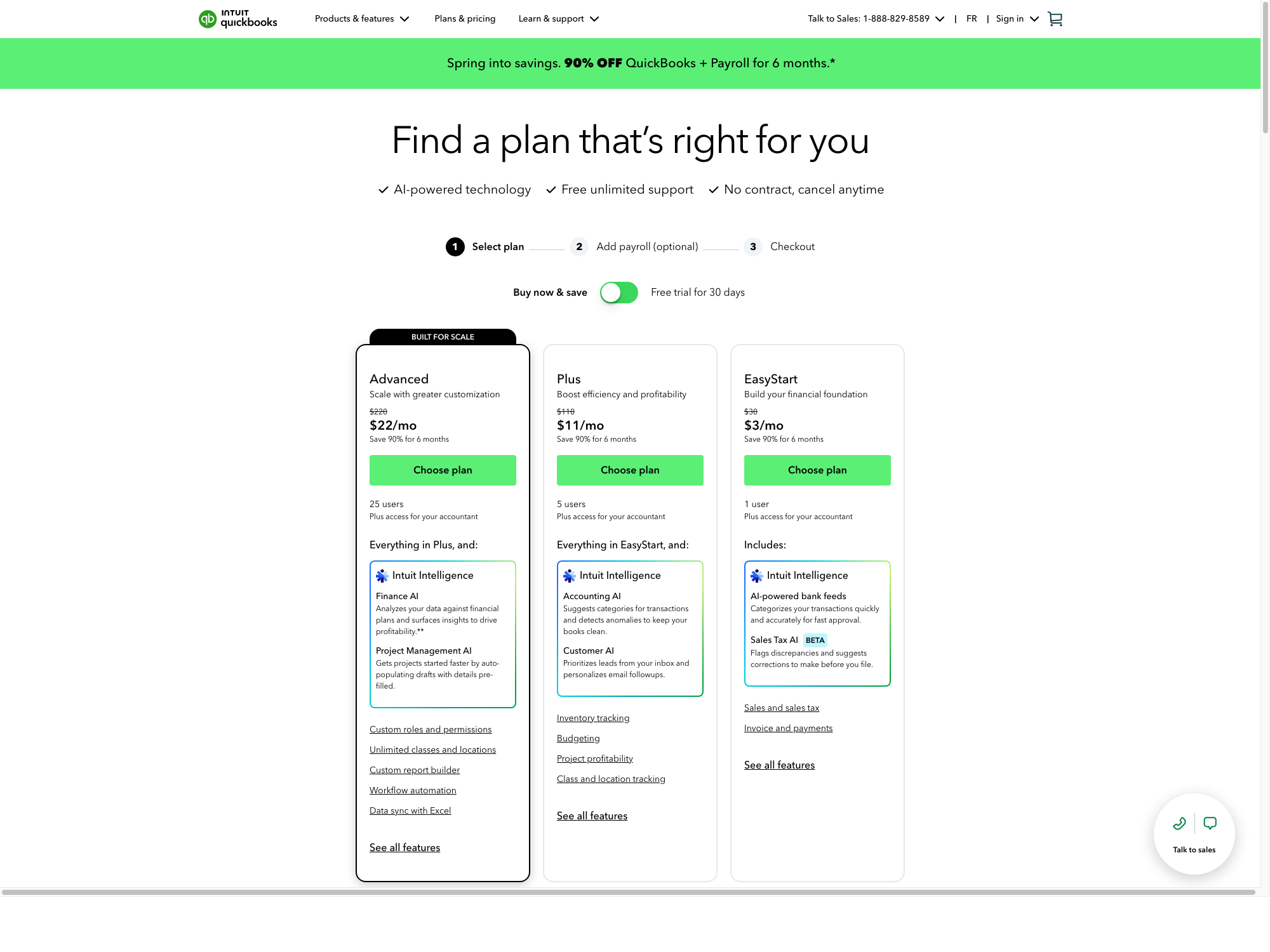
QuickBooks Canada’s visible pricing page showed a 90% off for 6 months promotion on May 10, 2026: EasyStart at $3 CAD/mo with a visible struck-through price of $30; Plus at $11 CAD/mo with a visible struck-through price of $110; and Advanced at $22 CAD/mo with a visible struck-through price of $220. QuickBooks also offered a 30-day free trial toggle. The page’s FAQ references Essentials as a service-based/team option, but Essentials was not visible in the top plan cards captured in this pass.
No affiliate links are active yet. Use the official vendor pages to verify current pricing before buying.
| Product | Entry plan | Mid plan | Higher plan | Pricing note |
|---|---|---|---|---|
| FreshBooks | Lite: 5 billable clients | Plus: 50 billable clients, accounting reports, receipt scanning, accountant access | Premium: unlimited billable clients, bill receipt capture, project profitability, accounts payable | CAD promo and regular prices were visible on FreshBooks Canada pricing. |
| QuickBooks Online | EasyStart: one user, invoices, expenses, sales tax basics | Plus: up to 5 users, inventory, budgeting, project profitability, class/location tracking | Advanced: up to 25 users, custom roles, reports, workflow automation | CAD promo and regular prices were visible on QuickBooks Canada pricing. |
How We Evaluated
This comparison is scored for a Canadian solo operator choosing software before paying. Invoicing simplicity means how directly the product supports estimates, client invoices, payments, and recurring work. Bookkeeping depth covers bank feeds, reporting, accountant collaboration, sales-tax workflow, and room to grow. Freelancer friendliness weighs how approachable the product is for a one-person business, while growth room weighs whether the same tool can still work after adding clients, projects, inventory, or collaborators.
Trial Notes Before You Sign Up
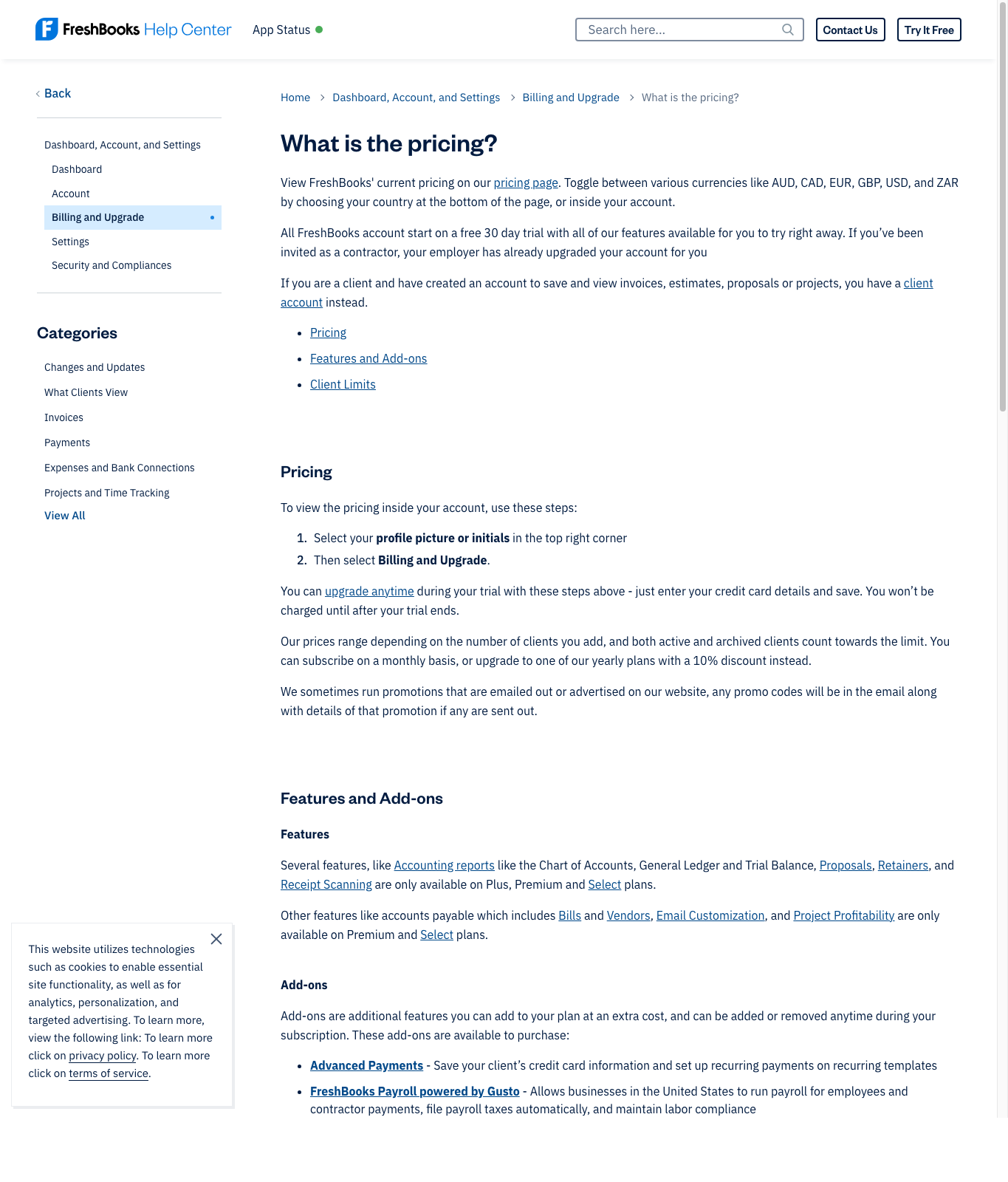
FreshBooks currently advertises a no-credit-card 30-day trial, so it is the easier first product to test. QuickBooks advertises a 30-day trial too, but its official terms say the account is automatically charged after the trial unless cancelled. Before publishing in-product screenshots, CacheMonk still needs to confirm whether QuickBooks asks for billing details during signup.
Feature Comparison
| Category | FreshBooks | QuickBooks Online | Winner |
|---|---|---|---|
| Invoicing | Very strong. Unlimited customized invoices are listed across plans, with estimates, recurring invoices, late fees, deposits, client portals, and payment options. | Strong, but invoicing sits inside a broader accounting system rather than feeling like the main product personality. | FreshBooks for simplicity. |
| Freelancer fit | FreshBooks explicitly positions plans for freelancers, self-employed professionals, creatives, marketing/agencies, and small businesses. | QuickBooks lists EasyStart as ideal for sole proprietors and freelancers, focused on income, expenses, invoices, and tax-time organization. | Tie, with different personalities. |
| Accounting depth | Plus and higher plans include double-entry accounting reports, advanced accounting, bank reconciliation, and accountant access. | QuickBooks is the stronger accounting system overall, with automated bank feeds, GST/HST tracking, accountant access, and more advanced plan tiers. | QuickBooks. |
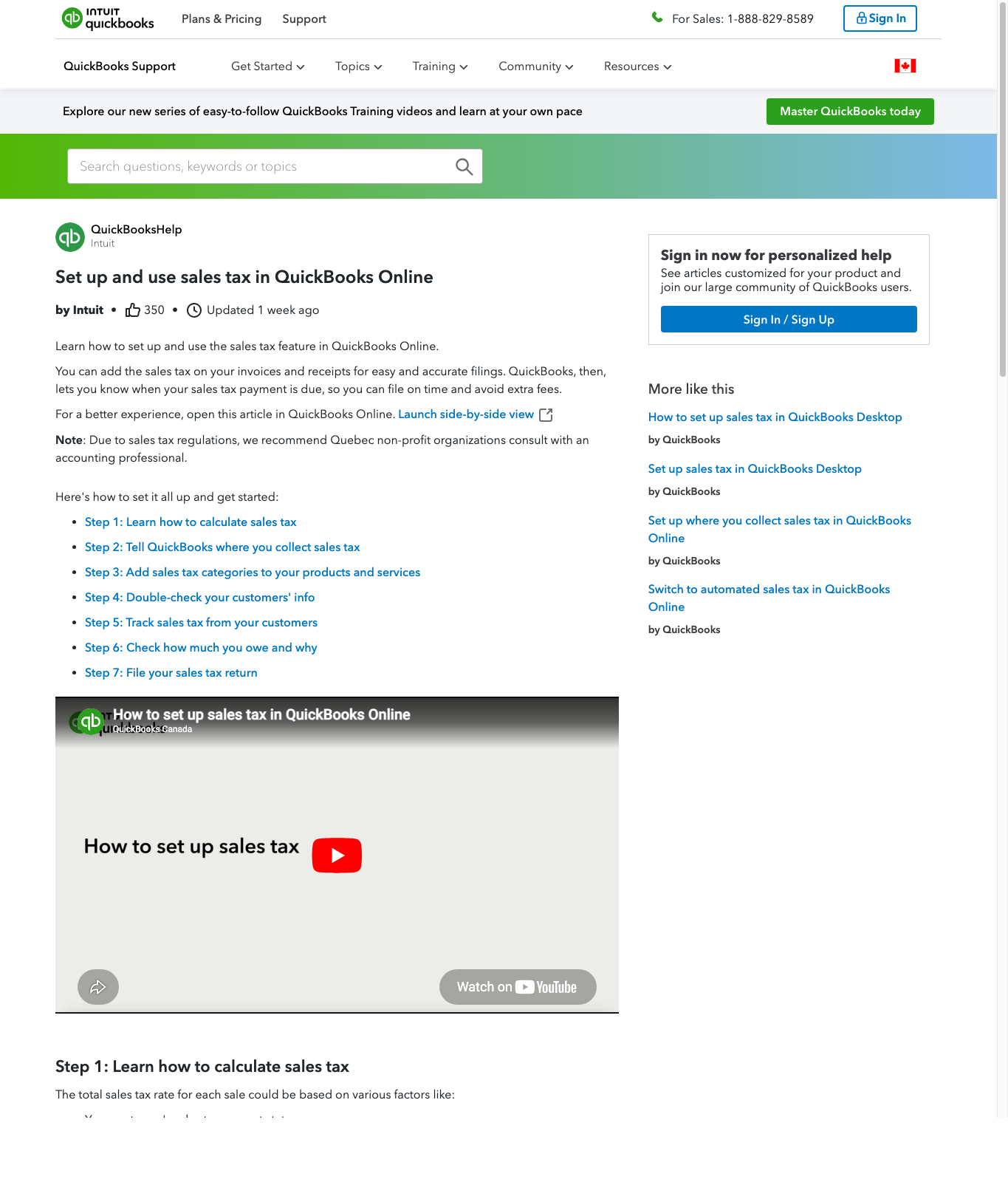
| Sales tax workflow | FreshBooks supports tax-time reports and plan features relevant to Canadian freelancers, with deeper tax setup details depending on account configuration. | QuickBooks has a Canadian sales-tax setup flow for province/territory, tax period, filing frequency, reporting method, and GST/HST number. | QuickBooks. |
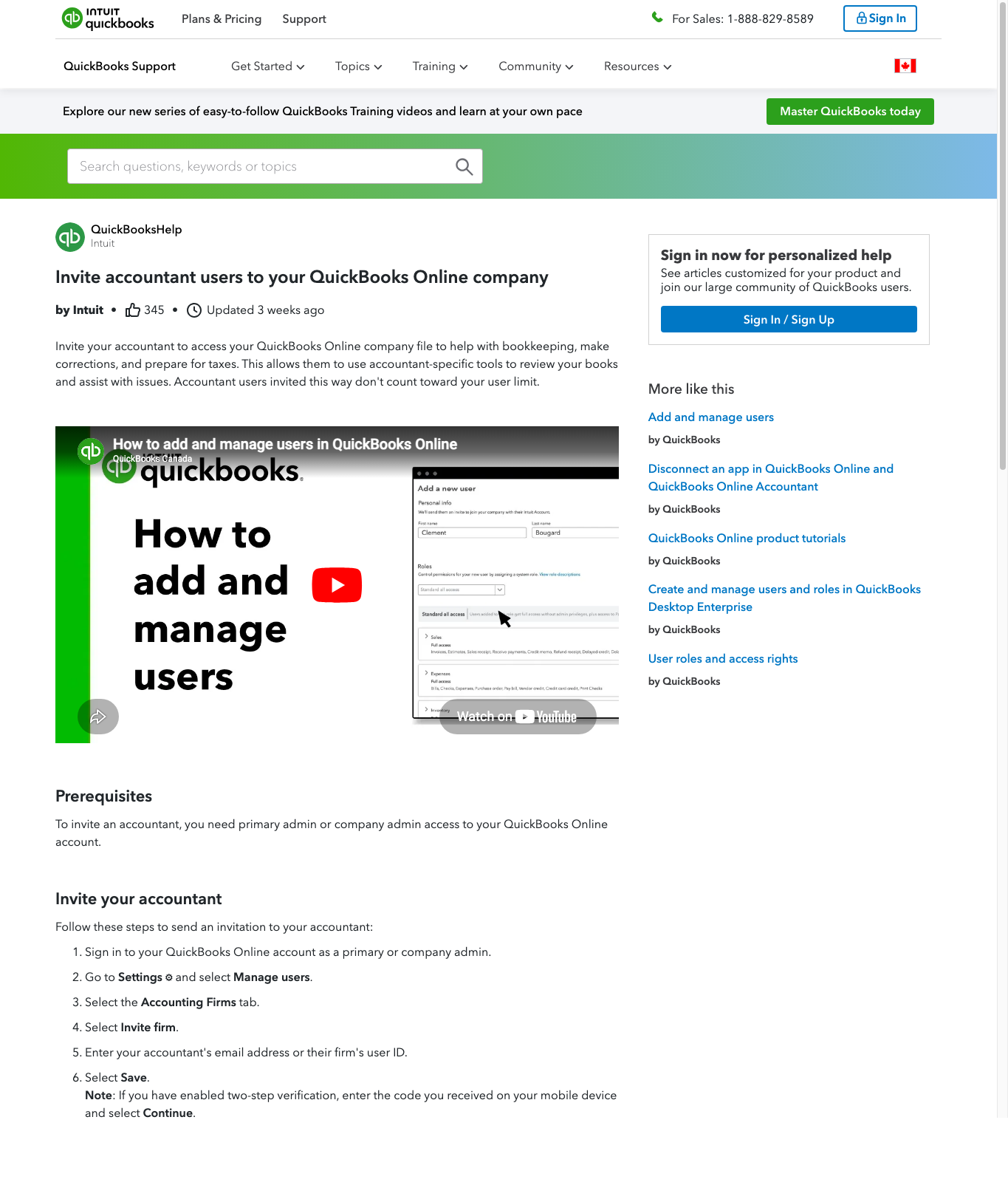
| Accountant access | FreshBooks Plus and above list accountant access. | QuickBooks includes a dedicated accountant/bookkeeper seat that does not count toward the standard user limit. | QuickBooks. |
| Receipts and expenses | Plus includes expense receipt scanning; Premium adds bill receipt scanning and line-item support. | QuickBooks emphasizes bank feeds, categorization, receipts, and bookkeeping automation. | Tie for most freelancers; QuickBooks if bank-feed bookkeeping is the priority. |
| Growth path | Simple path from Lite to Plus to Premium/Select; client limits drive upgrades. | Stronger path for businesses that may add inventory, projects, custom reporting, more users, and advanced workflows. | QuickBooks. |
Who Should Choose FreshBooks?
- You send invoices to clients and want that workflow to be painless.
- You have fewer than 50 active clients and FreshBooks Plus covers your needs.
- You value estimates, proposals, retainers, time tracking, payment links, and client-facing polish.
- You want accounting features, but you do not want the software to feel like an accounting department.
Who Should Choose QuickBooks Online?
- You expect to work with an accountant or bookkeeper and want a familiar accounting system.
- You care about sales-tax setup, bank feeds, reporting, and structured bookkeeping.
- You may grow into inventory, project profitability, budgets, class/location tracking, or advanced reporting.
- You would rather tolerate a steeper learning curve in exchange for a deeper system.
CacheMonk Scoring
| Criterion | FreshBooks | QuickBooks Online |
|---|---|---|
| Invoicing simplicity | 5/5 | 4/5 |
| Bookkeeping depth | 3.5/5 | 5/5 |
| Canadian tax workflow confidence | 3.5/5 | 4.5/5 |
| Freelancer friendliness | 5/5 | 4/5 |
| Growth room | 3.5/5 | 5/5 |
Alternatives To Consider
- Xero: worth comparing if you want a cloud accounting product with a different workflow and strong accountant collaboration.
- Zoho Books: useful if you already like Zoho’s broader suite and want accounting connected to CRM/projects/invoicing.
- Dext: not a full replacement for accounting software, but strong if receipt capture and bookkeeping automation are the pain point.
- Wave: worth comparing if you want a low-cost entry point and can live with fewer advanced accounting workflows.
Related Reviews
This page is part of the first CacheMonk accounting cluster. Next reads: FreshBooks Canada Review, QuickBooks Online Canada Review, and the full reviews hub.
Free Trial Checklist
If you test either product before buying, use the trial period to check the workflows that matter most for a Canadian freelancer:
- first invoice setup in each tool
- GST/HST setup experience
- Canadian bank-feed connection flow
- receipt upload and categorization flow
- accountant invite/export workflow
FAQ
Is FreshBooks or QuickBooks better for freelancers in Canada?
FreshBooks is usually easier for client-service freelancers who mostly need invoicing, payments, time tracking, and simple expense records. QuickBooks Online is usually better if bookkeeping depth and accountant collaboration matter more.
Which one is better for GST/HST?
Based on public documentation, QuickBooks has the stronger Canadian sales-tax workflow. It lets users set province/territory, filing frequency, reporting method, and GST/HST number. This is still product information, not tax advice.
Does FreshBooks have accountant access?
Yes. FreshBooks lists accountant access on Plus, Premium, and Select plans.
Does QuickBooks include an accountant seat?
Yes. QuickBooks says users can invite one accounting professional at no extra charge, and that seat does not count toward the standard user limit.
Should I choose based only on price?
No. Price matters, but the better question is whether the tool saves enough admin time and cleanup cost to justify the subscription. A cheaper tool can become expensive if your accountant has to fix messy records later.